When a person birds (or hikes, camps, canoes, etc.) in northern Minnesota, it is not unusual to be remote. In my case, this most often means I am by myself. While hiking / birding a trail it is possible I could have an accident … for instance trip and break a bone. Obviously this would not be good news. Earlier this year I blogged about satellite SOS devices which I insisted my two sons use during their winter trek across the BWCA. It is worth reading that post and the discussion (i.e. all the comments). While enjoying the outdoors should be enjoyed, safety should not be forgotten.
It is possible that many readers of this blog may think: “Gee … Rich lives in northern Minnesota, and is often off the cell grid. I live near XYZ urban center. This is not a concern for me”
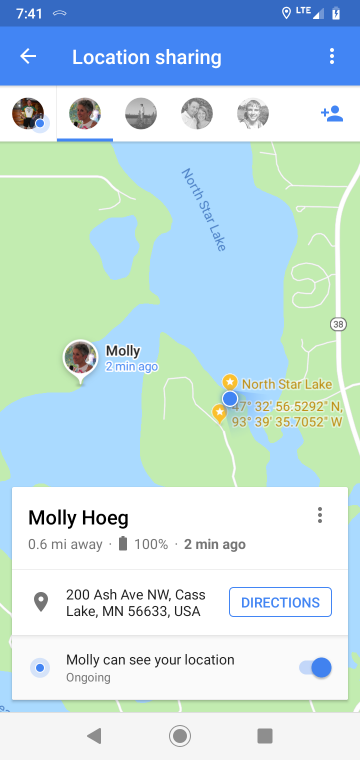
Not! While you may not need a satellite SOS receiver, it is just as possible that anyone could need help while hiking a trail within 50 miles of a large city. There is a solution which works quite well assuming that a person is “on the cell grid”. Google Maps now allows a person to share their location with any of one’s contacts … for a limited period (15 minutes, 1 hour, etc.) or ongoing (i.e. does not stop sharing your location till the user ends the sharing). Molly (my wife) now has my location permanently shared to her. If I did not come home when expected, or if I texted / phoned that I needed help, she would know my exact location and be able to summon assistance.
The process is quite simple, and we tested the accuracy a few mornings ago when I was up in Sax-Zim Bog. It is worth noting the following:
- I have an Android cell phone: Motorola 7g (not a high end phone)
- Molly has an iPhone
- Both of us have Google Maps for northern Minnesota pre-downloaded to our phones. While not necessary, is speeds up the use of Google Maps and saves on data.
Step #1: Person #1 (in this case, me) who wants to share their location, must take that action via Google Maps on their mobile device.
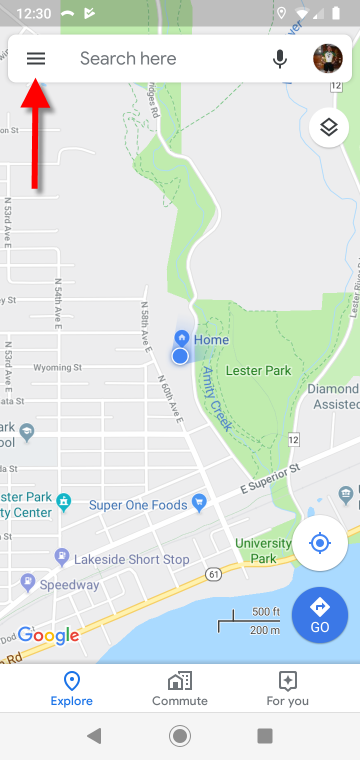
1a. Access the Google Maps menu
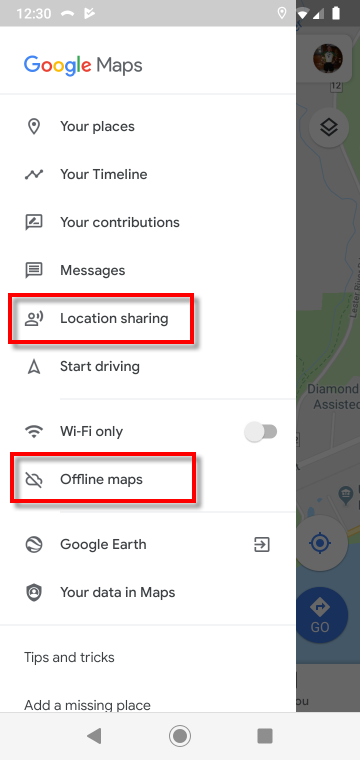
1b. If desired, download Offline Maps. Otherwise, access Location Sharing.
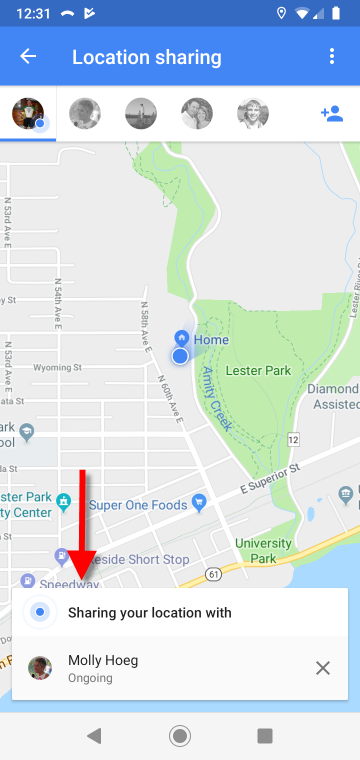
1c. Select desired contacts with whom you wish to share your location, and the period of time you wish to share your location (in my case … ongoing)
Step #2: Person #2 (in this care, my wife Molly) must accept the sharing request. She received an email and message within Google Maps. When I was in the Bog, she went to Google Maps on her iPhone. All the screenshots in Step #2 were taken by Molly on her iPhone.
Step 2a. Access Google Maps (after accepting sharing request)
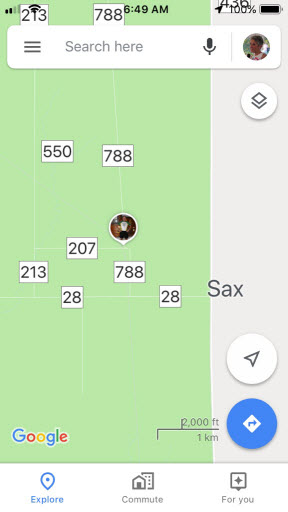
Step 2b. Press on the icon which represents the person who has shared their location with you. In this screenshot, one may see an icon of me!
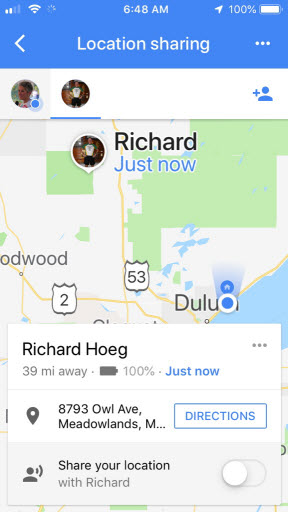
Step 2c. Molly zoomed in on her map. She could have selected Directions. One oddity is it gave my address on Owl Avenue, yet showed my location correctly.
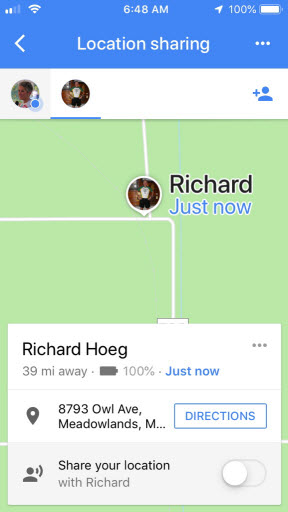
Step #3: Confirmation. I had stopped right by the railroad tracks on Kolu Road. I wanted to use a location where I could easily check when I returned home and saw the screenshots that Molly had taken, whether it showed me in the proper location. All three screenshots in Step #3 were taken by me at the same time as Molly took her screenshots in Step #2
Step 3a. My location … stopped immediately before the railroad tracks on Kolu Road.
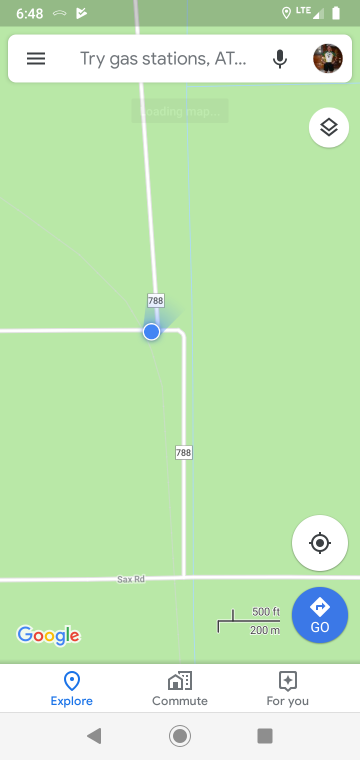
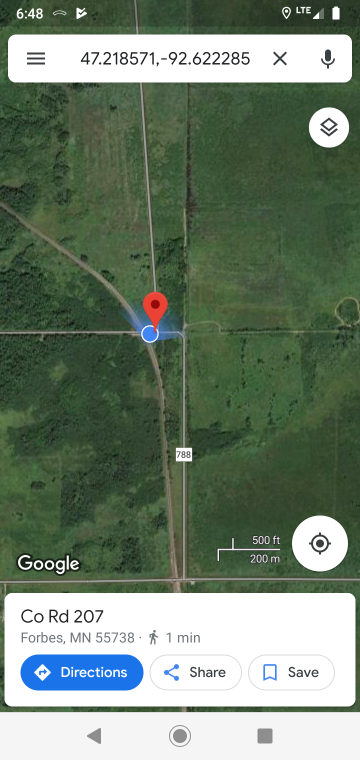
Step 3b. I pressed on my location (blue dot) to bring up my GPS Coordinates
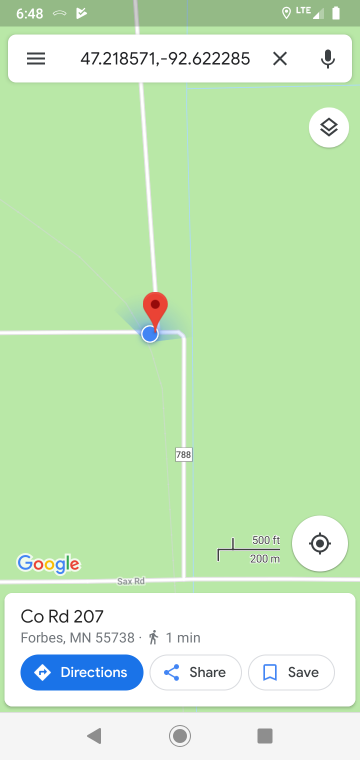
Step 3c. I changed to satellite view to show my location